Turning Telegram into an Unlimited Cloud Storage Disk: A Clever Engineering Hack or a Production Disaster?
An architectural investigation into open-source projects (TAS, Tele-Drive, tg-s3) that turn Telegram into a mounted disk or S3 bucket. How AES-256 chunking and FUSE drivers work under the hood, why bot rate limits and Terms of Service bans make it fatal for production applications, and where it actually shines.
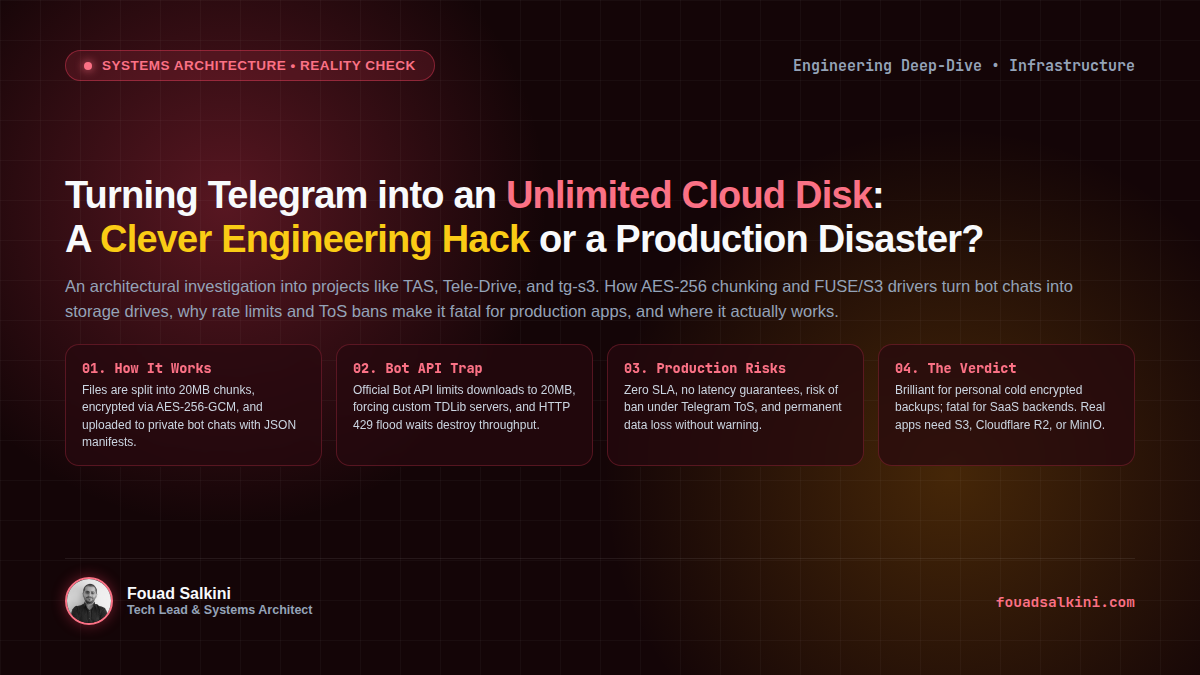
Every few months, a new open-source repository trends on GitHub, Hacker News, or X with a tantalizing premise:
“Why pay AWS S3, Google Cloud, or Backblaze for storage when Telegram gives you unlimited free cloud file hosting? Mount Telegram as a local hard drive or S3 bucket for your app!”
Projects like TAS (Telegram as Storage), Tele-Drive, tg-s3, and various FUSE-based Telegram drivers show impressive engineering ingenuity. They allow developers to run tas mount ~/cloud or spin up an S3-compatible gateway container that translates standard s3:PutObject and s3:GetObject calls directly into Telegram Bot API messages.
As systems architects and DevOps engineers, we must ask the critical questions: How does this actually work under the hood? Is the idea technically sound? And should you ever connect your production application to Telegram as a storage backend?
Here is a rigorous technical autopsy of the concept.
1. How the Architecture Works Under the Hood
To understand why this hack exists, you have to look at how these tools emulate a block or object storage device:
[ Your Application / OS ]
          │
          ▼
   (FUSE Mount / S3 API)
          │
          ▼
┌────────────────────────────────────────────────────────┐
│               Storage Gateway Engine                   │
│  1. Compression: gzip / zstd                           │
│  2. Encryption: AES-256-GCM (Zero-Knowledge)           │
│  3. Chunking: Split stream into 20MB slices            │
│  4. Indexing: Build SQLite / Local State Manifest      │
└──────────────────────────┬─────────────────────────────┘
                           │
                           ▼ (Telegram Bot API / MTProto)
┌────────────────────────────────────────────────────────┐
│             Private Telegram Channel / Chat            │
│  Message #101: Chunk 001 [Binary Payload]              │
│  Message #102: Chunk 002 [Binary Payload]              │
│  Message #103: File Metadata Manifest [JSON / Pinned]  │
└────────────────────────────────────────────────────────┘
The 4 Mechanical Steps:
- Chunking: Telegram imposes file size upload limits (20MB via the default Bot API, or 2GB via local Bot API / MTProto user sessions). The driver slices large files into smaller byte blocks (typically 10MB to 20MB).
- Client-Side Encryption: High-quality tools (like TAS) apply
AES-256-GCMclient-side encryption. Telegram servers only ever receive encrypted binary blobs, ensuring zero-knowledge privacy from Telegram itself. - Message-as-Block Storage: The gateway sends each chunk as a file attachment to a designated private Telegram bot chat or channel. The Telegram
file_idandmessage_idserve as the physical block address. - Metadata Manifest: A local database or a special pinned index message in the channel keeps track of the file tree: which chunks belong to which file, their SHA-256 checksums, and their order.
When your application reads a file, the gateway queries the index, streams the relevant chunk messages concurrently from Telegram, decrypts and decompresses them in memory, and pipes the reconstructed byte stream back to your app.
2. Why Developers Fall in Love with the Concept
It is easy to see the initial appeal:
- Zero Infrastructure Cost: Unlimited gigabytes or terabytes hosted on Telegram’s high-speed distributed CDN without a credit card.
- Geographic Redundancy: Telegram automatically caches media across its globally distributed datacenter clusters.
- No Authentication Friction: Generating a bot token via
@BotFathertakes 10 seconds—no IAM policies, access keys, or billing budgets required. - Elegant CLI & FUSE Drivers: Mounting Telegram as a native folder on macOS or Linux makes it feel like a seamless local drive.
3. The Production Reality Check: Why It Fails for Applications
While the engineering design is brilliant as an academic proof-of-concept, connecting any production web service, SaaS application, or database backup pipeline to Telegram storage is architectural suicide.
Here are the fatal bottlenecks that will bring your system down:
A. The 20MB Bot API Download Wall
By default, the standard Telegram Bot API (api.telegram.org) refuses to download any file larger than 20MB.
To bypass this, developers are forced to self-host an official Local Telegram Bot API Server via Docker or compile native TDLib (Telegram Database Library) with MTProto. This immediately shatters the “zero infrastructure” premise: you now have to maintain, monitor, and host a complex stateful gateway server yourself.
B. Severe Rate Limits & HTTP 429 Flood Waits
Telegram is an instant messaging platform, not a block storage array. Its anti-spam and flood-control systems aggressively throttle API calls:
- A bot cannot send more than ~30 messages per second across chats, or more than 1 message per second to a single chat during sustained bursts.
- If your application tries to write a 1GB file (which requires uploading 50 to 100 consecutive chunks), Telegram will inevitably throw
429 Too Many Requestswith a mandatoryretry_afterdelay of several minutes. - For applications requiring high-concurrency I/O (handling simultaneous user uploads or media streaming), the entire backend freezes under cascading thread timeouts.
C. Zero SLA and Silent Data Loss
When you pay for AWS S3, Google Cloud Storage, or MinIO, you receive a formal Service Level Agreement (99.999999999% durability). With Telegram:
- There is zero SLA. Telegram makes no guarantee that media sent to a chat will persist indefinitely.
- Telegram’s internal caching layers routinely evict or delay media retrieval for older messages on non-active channels.
- If a single chunk’s message is accidentally deleted, pruned, or corrupted, the entire file cannot be reconstructed.
D. Direct Violation of Telegram Terms of Service
Using Telegram’s messaging infrastructure as an automated bulk block storage or CDN backend constitutes service abuse. Telegram’s automated threat detection monitors disproportionate upstream data volume relative to conversational interactions.
- The Account Ban Risk: When detected, Telegram can instantly revoke your bot token or permanently ban your registered phone number without recourse or data export capabilities. All stored data is lost irreversibly.
4. The Engineering Comparison
| Feature | S3-Compatible Storage (Cloudflare R2 / MinIO) | Telegram Storage Hacks (TAS / Tele-Drive) |
|---|---|---|
| Primary Purpose | High-throughput object & block storage | Human messaging & media sharing |
| Throughput / Latency | Gigabits/sec, sub-50ms TTFB | Severely throttled by flood limits & bot chunking |
| File Chunking | Native multi-part uploads | Fragile custom message slicing |
| Data Durability (SLA) | 99.999999999% (11 9s) | None (unannounced pruning / eviction) |
| Account Safety | Guaranteed by contract & payment | High risk of permanent ban (ToS violation) |
| Cost | Negligible ($0.015/GB or zero egress on R2) | $0 (hidden operational & risk cost) |
5. Where the Idea IS Genuinely Useful
Is the concept entirely useless? No. If you understand the constraints and isolate the risks, Telegram storage can be an exceptional tool for specific personal use cases:
- Encrypted Personal Cold Archive: Backing up personal dotfiles, text notes, encrypted KeePass databases, or configuration files that are rarely updated and need off-site survivability.
- Ephemeral File Transfer Between Isolated Nodes: Quickly piping a zipped tarball between two remote VPS machines without setting up temporary SSH keys or public web servers.
- Academic & Cryptographic Learning: Studying how FUSE filesystems, virtual block drivers, and AES-GCM streaming encryption are implemented in practice.
6. The Verdict: What Should You Use Instead?
If you are building an application, startup, or production system and looking to minimize cloud storage expenses, do not resort to Telegram hacks. The modern cloud ecosystem offers legitimate, industrial-grade storage for pennies:
- Cloudflare R2: 100% S3-compatible, generous free tier (10 GB/month), and zero egress bandwidth fees.
- Hetzner Storage Box / Storage Share: Hundreds of gigabytes of reliable NVMe/HDD storage with native WebDAV, SFTP, and rsync support starting at under €4/month.
- Backblaze B2: Dirt-cheap object storage ($0.006/GB/month) with rock-solid S3 APIs.
- Self-Hosted MinIO or Garage: High-performance, distributed S3 storage deployed on your own VPS or bare-metal servers.
Final Takeaway
Treat projects like TAS and Tele-Drive for what they are: ingenious software experiments and fascinating demonstrations of API bending. But when it comes to production data integrity, never compromise foundational architecture for free bandwidth.

Written by Fouad Salkini (فؤاد سلقيني)
General Manager & Tech Lead at Tripnologies and Sync Studios. Systems Architect focusing on AI coding agents, DevOps, and quantitative systems.