Remotion: AI Agents Can Write React Videos—Here Is What I Actually Tested
Remotion turns React compositions into video and motion graphics. I checked its GitHub source, custom license and dependency risks, then rendered a real Arabic MP4 in a network-disabled container. Practical setup, benefits and security limits.
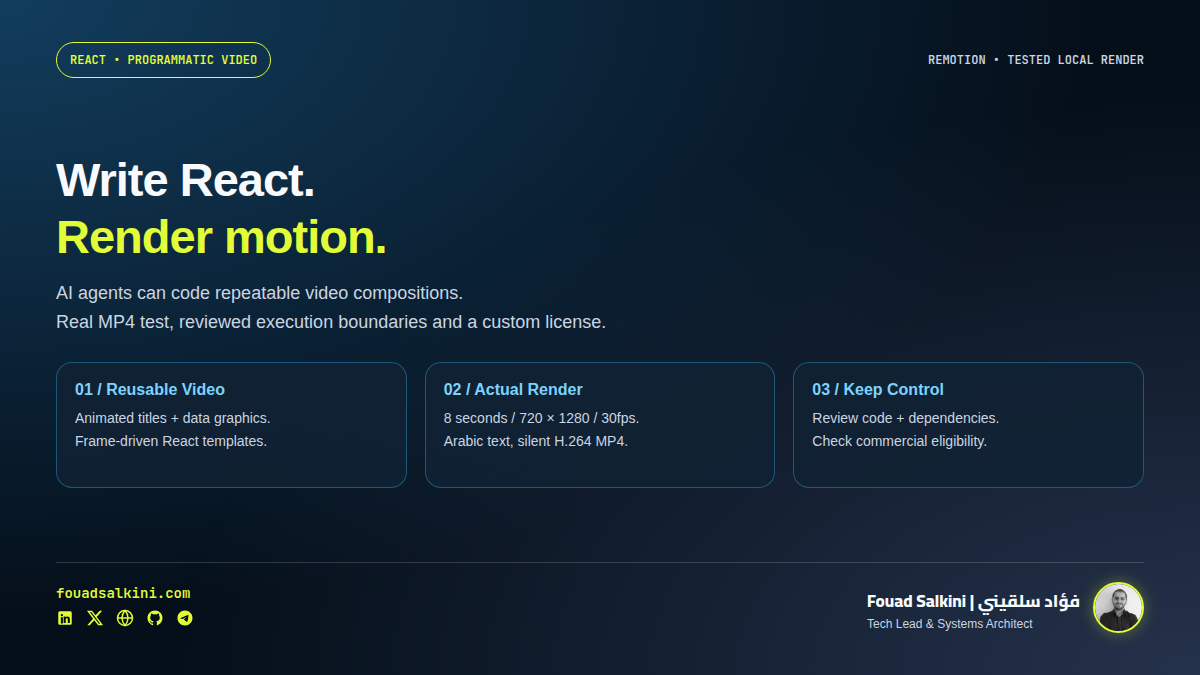
A video does not always need to start on an editing timeline. It can start as a React component.
Remotion lets developers describe a video using React and render the result into an actual file. That makes it useful to coding agents: an agent can write or revise the composition, adjust timing and render a preview. Remotion itself is not a generative video model or an autonomous agent. [1][3][6]
I checked the original GitHub repository behind the RepoDir listing, inspected the license and relevant security documentation, installed pinned packages, and produced a real 8-second Arabic motion-graphics MP4. My conclusion: useful for repeatable, code-driven videos, with important licensing and execution boundaries.
What you can make with it
React components define the layout; frame-based values define changes over time. This is a practical fit for:
- Animated titles, captions, cards and data visualizations.
- Product explainers with consistent layouts and precise timing.
- Branded templates whose text, colors and data change between renders.
- Programmatic batches of similar videos, after validating their inputs.
It is less compelling if the task is simply to assemble a few clips manually and you do not want to maintain code. It also does not create missing footage, a voiceover or a good visual concept automatically.
The benefit is control and reuse—not a promise that every AI-generated composition will look good. Generated code still needs design review and a rendered preview.
Where AI agents fit
Remotion publishes official agent skills for tools such as Claude Code, Codex and Cursor. The skill set covers composition creation, markup, rendering, audio and other workflows. Its documented installer is: [3]
npx skills add remotion-dev/skillsReview the destination and files before approving any skill installer. It changes the assistant’s instructions; it does not magically grant safe execution or media rights. For my installation, I inspected the official skill repository and registered a narrower, tested workflow only in this assistant’s active profile rather than running a broad global installer.
A useful request to a coding agent is specific:
Create a vertical Arabic explainer using local approved assets. Keep timing frame-driven, use the supplied brand colors, render a preview, check text clipping, and deliver an MP4. Do not publish it.
That describes the workflow better than “generate a perfect video.”
License: GitHub availability does not mean MIT
Remotion uses a custom license. The reviewed v4 terms allow free use for individuals, for-profit organizations with up to three employees, nonprofit organizations and noncommercial evaluation. Larger for-profit organizations need the applicable company license. The license also restricts certain redistribution/derivative-business uses. [2]
I am describing it as source-available, not permissive open source. Before creating commercial deliverables for a company, check its actual eligibility and intended use. Do not assume that a personal account makes a larger company’s work eligible.
The local installation and sample were for evaluation. No paid license was purchased, and the installation is not a grant of commercial rights. The license file also flags upcoming changes for Remotion 5, so recheck the terms when changing major versions. [2]
My security review: useful, not “certified safe”
A composition is executable code
Remotion combines Node.js tooling, a browser and media encoding. Treat a downloaded composition as a software project, not an inert video asset. Review its dependencies, network calls, build configuration and file access before executing it.
The reviewed renderer starts Chromium with --no-sandbox and --disable-setuid-sandbox. Therefore, “it runs in a browser” is not a sufficient security boundary. I used a separate restricted container. That reduces exposure; it does not prove hostile browser/Node code cannot escape or abuse resources. [7]
Secrets and external requests need care
Remotion’s security guidance warns that CLI/Studio workflows can expose REMOTION_* and dotenv-derived values to browser-side code. It also warns about disabling web security, exposing AWS credentials in frontends and making expensive render APIs public without authentication or rate limits. [4]
My test mounted no agent HOME, production repository, .env, SSH directory or Docker socket. Only a reviewed, staged job was readable and a dedicated output folder writable. Rendering had no external network access, non-root execution and explicit CPU/memory/process limits.
Dependencies and the browser were provisioned earlier with network access. This demonstrates a local-asset rendering path, not a claim that every Remotion feature works offline.
Dependency scan: a dated result, not a guarantee
The pinned npm dependency set returned zero known vulnerabilities in npm audit at installation time. Initial package installation used --ignore-scripts; the browser download was a separate, explicit image-build step.
An advisory scan does not establish that a package contains no malicious code, that the browser is invulnerable or that the application is safe. I did not run a full upstream test suite or an adversarial penetration test.
Telemetry is not identical across rendering modes
The documentation says server-side rendering sends render telemetry when a licenseKey is set, while client-side web-rendering APIs send telemetry for renders even without one. Licensing obligations can also change by plan/version. Do not describe Remotion as universally telemetry-free or disable required licensing controls to evade terms. [5]
What actually rendered
I used published Remotion 4.0.538 packages with React/ReactDOM 19.3.1, with matching Remotion versions retained in a lockfile. The inspected repository snapshot was 5c7964276c5ecc8e480a577bb8146a769c436cdb; source inspection and executing published npm artifacts are related but distinct checks.
The resulting file was:
- H.264 MP4, silent.
- 720 × 1280, vertical 9:16.
- 30 frames per second, 240 frames, 8 seconds.
- Arabic headline, timed cards, moving progress indicator and local fonts.
FFprobe confirmed the metadata, and FFmpeg decoded the full file without errors. I inspected a preview and a contact sheet to check Arabic shaping, layout and changing visual states. This is a technical proof of work—not a claim that the sample is a finished advertising campaign.
Local helper verification also passed: three JavaScript input tests and four Python wrapper tests, covering bounded props, output-folder scope, restricted execution arguments, allowlisted job staging and rejection of input symlinks. Those are tests of my wrapper, not the full Remotion project.
How to start on your own machine
First confirm licensing, install the documented Node.js prerequisites and use a non-sensitive project directory. The official starter can create a project: [1][3]
npx [email protected]Choose the React template appropriate to your task and inspect the generated dependencies and scripts before running them. The starter is an upstream setup path; I used a manually assembled pinned workspace for my test, not an independently verified interactive starter run.
Inside the created project, after reviewing its scripts:
npm run devPreview the composition locally. For a project whose entry point is src/index.ts and whose composition ID is MyComp, a render example is:
npx remotion render src/index.ts MyComp out/video.mp4Replace the entry path and ID with the ones your project actually registers. Do not paste the example unchanged into an unrelated template. Use the project’s pinned CLI rather than fetching an unreviewed latest package, and stop if your tool proposes a surprise download. [6]
Keep animation tied to frames rather than wall-clock timers, fetch approved assets before an isolated render, and verify the resulting video—not merely a successful JavaScript build. Inspect licensed images, fonts, music and voices separately from the code license.
What I installed for future requests
This assistant now has a dedicated local remotion-video skill and a pinned workspace, with a tested no-network container renderer. You can ask for a motion graphic or reusable React video template; the starting workflow includes rendering, decoding and visual inspection before delivery.
The installed baseline is a silent 720p vertical template. Audio/TTS, different dimensions, long sequences and new assets require additional implementation and checks; I am not claiming they were tested already. Commercial production remains subject to a real license/eligibility check. No always-on Studio service, cloud account or public endpoint was created.
My recommendation
Use Remotion when the video is structured enough to benefit from code: repeatable explainers, animated data, branded templates and controlled variations. Let the agent help with implementation, but keep human review of the message, design and rights.
I found it useful enough to install for future work and publish this review. The reason is a successful rendering workflow—not the popularity of a repository or an unsupported promise that AI removes the production process.
Sources
[1] Official Remotion source repository at the reviewed snapshot
[2] Custom license and free-use eligibility
[3] Official agent skills and installation
[4] Remotion security guidance
[5] Telemetry behavior by rendering mode

Written by Fouad Salkini (فؤاد سلقيني)
General Manager & Tech Lead at Tripnologies and Sync Studios. Systems Architect focusing on AI coding agents, DevOps, and quantitative systems.