MoneyPrinterTurbo: Autonomous AI Short Video Factory — Architecture, Practical Feasibility, and Engineering Review
A comprehensive systems analysis of harry0703/MoneyPrinterTurbo (126,000+ GitHub Stars): examining the end-to-end automated pipeline from prompt to script, stock footage matching, Edge TTS voiceover, Whisper subtitle sync, and FFmpeg composite rendering.
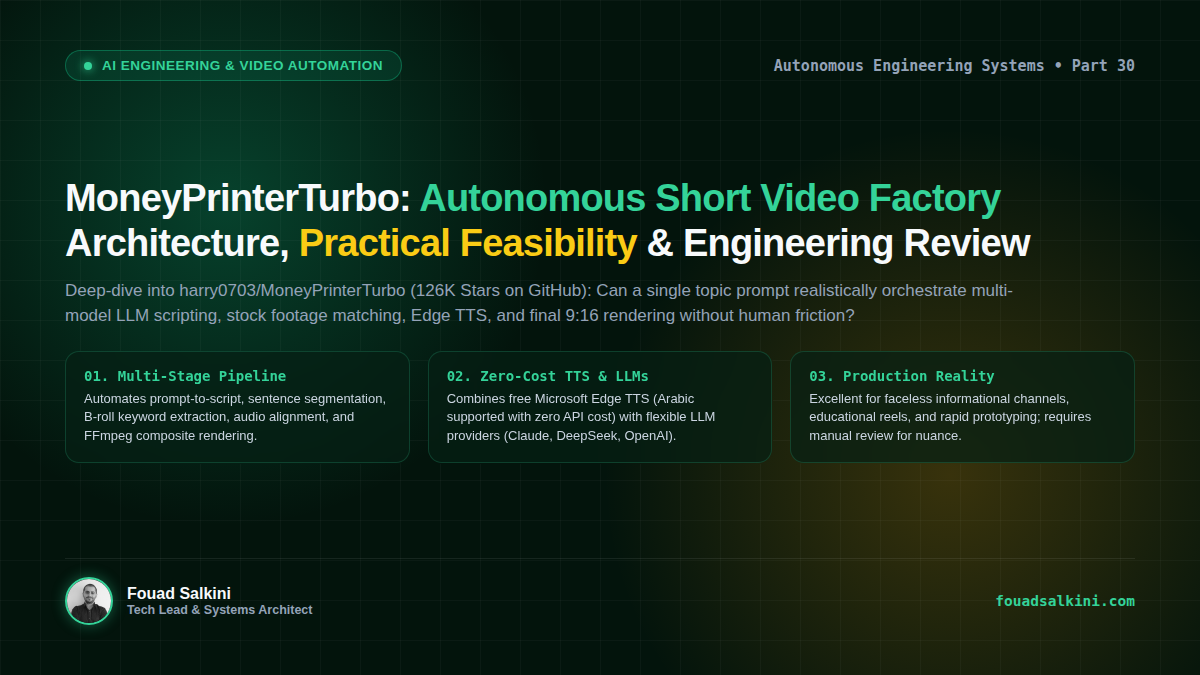
With over 126,000 stars and nearly 20,000 forks on GitHub, harry0703/MoneyPrinterTurbo has emerged as one of the most popular open-source automated video production frameworks in the developer community.
The project promises a fully autonomous, “single-click” content factory: provide a single video topic or keyword, and the system automatically generates an optimized script, searches and retrieves stock footage or generates AI video clips, synthesizes voice narration, synchronizes word-level subtitles, mixes background music, and exports high-definition 9:16 vertical shorts, 16:9 landscape videos, or 1:1 square posts.
In an industry saturated with proprietary video SaaS platforms charging monthly subscriptions for limited credits, MoneyPrinterTurbo represents an intriguing alternative for engineers and creators looking for local, self-hosted, or headless video generation pipelines.
Here is an architectural deconstruction of how MoneyPrinterTurbo works, an honest assessment of its production feasibility, and a step-by-step guide to deploying it on your local workstation or headless VPS.
1. The Autonomous Pipeline: How It Works Under the Hood
Unlike single-purpose tools, MoneyPrinterTurbo orchestrates five distinct engineering layers into a continuous, sequential assembly line:
                          [ Topic / Keyword / Custom Script ]
                                           │
                                           ▼
             ┌───────────────────────────────────────────────────────────┐
             │ 1. LLM Script Generation & Semantic Segmentation          │
             │    (Claude, DeepSeek, OpenAI, Kimi, Qwen, Ollama)         │
             └─────────────────────────────┬─────────────────────────────┘
                                           │
                                           ▼
             ┌───────────────────────────────────────────────────────────┐
             │ 2. Text-to-Speech (TTS) Voice Synthesis                   │
             │    (Edge TTS [Free], Azure Speech, MiniMax, ElevenLabs)   │
             └─────────────────────────────┬─────────────────────────────┘
                                           │
                                           ▼
             ┌───────────────────────────────────────────────────────────┐
             │ 3. Automated Subtitle Synchronization                     │
             │    (Whisper / Edge-TTS SRT Generator + Font Styling)      │
             └─────────────────────────────┬─────────────────────────────┘
                                           │
                                           ▼
             ┌───────────────────────────────────────────────────────────┐
             │ 4. B-Roll Footage Sourcing & Video Generation             │
             │    • Free Stock: Pexels API, Pixabay API, Coverr          │
             │    • AI Video: MiniMax H3, Volcano Seedance, Wan, MuAPI   │
             │    • Local Assets: User-uploaded video & image folders    │
             └─────────────────────────────┬─────────────────────────────┘
                                           │
                                           ▼
             ┌───────────────────────────────────────────────────────────┐
             │ 5. Audio-Visual Composition Engine                        │
             │    (FFmpeg / MoviePy: Clip Fitting, BGM Mixing, Transitions)│
             └─────────────────────────────┬─────────────────────────────┘
                                           │
                                           ▼
                       [ Final Rendered MP4 (9:16 / 16:9 / 1:1) ]
Stage 1: Scripting and Semantic Chunking
- The user inputs a topic (e.g., “The Future of Solid-State Batteries” or “تاريخ بناء الأندلس”).
- A configurable LLM (Anthropic Claude, DeepSeek-V3, OpenAI GPT-4o, or local Ollama models) authors an engaging narration script.
- The script is parsed and chunked into individual sentence-level segments. For each segment, the LLM extracts visual search keywords (e.g.,
"battery factory","chemical laboratory","electric vehicle").
Stage 2: Zero-Cost Voiceover Synthesis
- Audio is synthesized per segment using one of several supported engines.
- The standout feature: Native support for Microsoft Edge TTS, which operates with zero API costs and requires no API keys. Edge TTS provides broadcast-grade, natural-sounding neural voices across dozens of languages, including Arabic (
ar-SA-HamedNeural,ar-EG-SalmaNeural,ar-SA-ZariyahNeural), English, French, and Chinese.
Stage 3: Subtitle Generation & Alignment
- Timestamped subtitle tokens (
.srt) are generated either directly from the TTS phoneme timing or via local OpenAI Whisper models. - The engine renders customizable typography: font selection, dynamic sizing, border strokes, glowing outlines, and position presets optimized for TikTok, Instagram Reels, and YouTube Shorts.
Stage 4: Visual Sourcing & Synthesis
- For each script sentence, the system queries royalty-free stock APIs (Pexels, Pixabay) using the extracted keywords, caches relevant 1080p clips, and slices them to match the exact duration of the spoken sentence.
- Alternatively, users can plug in generative AI video APIs (such as MiniMax Video, ByteDance Volcano Engine, or Wan 2.1) to synthesize custom footage.
Stage 5: FFmpeg Composite Rendering
- The underlying media engine (utilizing FFmpeg and MoviePy) normalizes resolutions, applies pan-and-zoom Ken Burns motion effects to static images, overlays subtitles, layers background music (with auto-ducking to prevent overpowering the narrator), and renders the final MP4 file.
2. Practical Feasibility: Is It Really Useful?
When evaluating open-source projects with massive GitHub star counts, it is essential to separate viral hype from real-world utility:
What It Excels At (High Value):
- Faceless Informational & Educational Content: Channels dedicated to historical anecdotes, science explainers, tech trivia, business summaries, and motivational quotes can achieve 90% production automation.
- Zero-Cost Operation: By pairing DeepSeek-V3 (extremely cheap LLM tokens) with Microsoft Edge TTS and free Pexels/Pixabay APIs, you can produce complete HD videos for less than $0.01 per video, compared to commercial platforms that cost $30–$80/month.
- Multilingual Flexibility: Because the script prompts and Edge TTS handle Arabic, English, and Asian languages natively, regional localization is frictionless.
- Headless & Agentic Integration: It provides a clean FastAPI backend (
main.py) and a pure CLI mode, allowing autonomous agents to trigger video generation programmatically via REST API or shell commands.
Limitations & Production Caveats:
- Semantic Mismatches in B-Roll: Stock search algorithms can occasionally select literal or irrelevant footage (e.g., talking about “banking algorithms” might pull a generic clip of an outdoor park bench). For high-stakes brand storytelling, human review of the matched clips in the WebUI is still required.
- Computational Overhead on Local Machines: FFmpeg video encoding and Whisper speech alignment consume noticeable CPU/GPU resources. Running batch renders on an entry-level laptop will throttle system performance.
- Format Homogeneity: Without custom CSS/styling adjustments, automated videos can look visually formulaic. Using high-quality custom B-roll folders or generative video APIs dramatically improves production value.
3. Quick Deployment Guide
MoneyPrinterTurbo supports Docker, uv (Fast Python), and standard virtual environments.
Option A: Recommended Docker Deployment (Fastest)
# 1. Clone the repository
git clone https://github.com/harry0703/MoneyPrinterTurbo.git
cd MoneyPrinterTurbo

# 2. Copy the example configuration
cp config.example.toml config.toml

# 3. Launch via the prebuilt Docker image
docker compose -f docker-compose.release.yml up -d- WebUI Dashboard (Streamlit):
http://localhost:8501 - REST API & Swagger Docs:
http://localhost:8080/docs
Option B: Bare-Metal / Local Installation (via uv)
Using Astral’s uv package manager provides the cleanest, fastest dependency resolution:
# 1. Clone and navigate
git clone https://github.com/harry0703/MoneyPrinterTurbo.git
cd MoneyPrinterTurbo

# 2. Install Python 3.11 and sync dependencies
uv python install 3.11
uv sync --frozen

# 3. Launch WebUI (Linux/macOS)
sh webui.sh

# 4. Or launch the headless FastAPI server
uv run python main.py
Option C: Pure CLI Automation (For Agents & Headless Scripts)
For autonomous agents or server cron jobs that need to render videos without a web browser:
python main.py \
  --topic "رحلة في أعماق المحيطات" \
  --language "ar" \
  --tts "edge-tts" \
  --voice "ar-SA-HamedNeural" \
  --aspect-ratio "9:16"
4. Architectural Summary
MoneyPrinterTurbo is not magic, but it is an exceptionally well-engineered orchestration layer. By unbundling commercial video SaaS features into open standards—Python, FFmpeg, Whisper, Edge TTS, and multi-model LLMs—it proves that production-grade media synthesis is no longer the exclusive domain of venture-backed platforms.
For engineers building automated content syndication pipelines or developers experimenting with agentic media workflows, it is an indispensable tool in the modern AI stack.

Written by Fouad Salkini (فؤاد سلقيني)
General Manager & Tech Lead at Tripnologies and Sync Studios. Systems Architect focusing on AI coding agents, DevOps, and quantitative systems.