LLMSpeed: Preview Local AI Speed Before Buying Hardware — and Know What Is Simulated
A hands-on review of llmspeed.dev: compare local LLM speed, first-token latency and memory fit before buying a GPU or Mac. We inspected the source, ran its calculator and built the app, separating simulated output from real inference benchmarks.
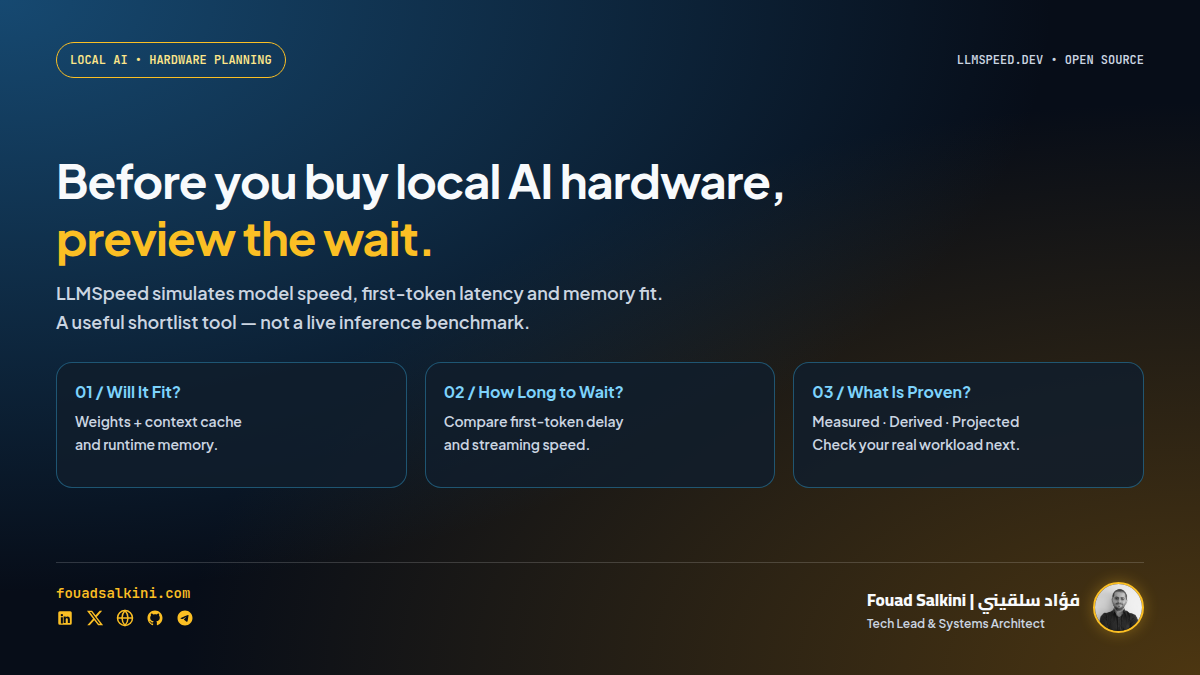
Before buying a GPU to run local AI, most people ask whether the model will fit. The more useful question is: will it feel fast enough for the work I actually do?
A small chat message and a long document can produce very different experiences on the same machine. Waiting for the first word matters just as much as watching the remaining answer stream.
LLMSpeed makes that difference visible. Pick hardware, a model and a quantization level, then watch a simulated answer appear at the estimated speed. You can race two configurations side by side. The project is open source at nicorobinreal/llmspeed under the MIT license. [1][2][6]
My verdict: useful for shortlisting hardware, not a substitute for benchmarking your workload. I tried the live race, inspected the code, built the application locally and executed its calculator. The distinction between a simulation and a real model run is the most important thing to understand.
What the site actually does
At the reviewed revision, 6b9c09e, the repository advertises 30 hardware entries and 15 models. Its interface lets you choose a GPU, Mac or supported CPU configuration, select a model and quantization, and change the input length. These counts describe that snapshot, not a permanent catalogue. [2][7]
The useful outputs are:
- Generation speed, in tokens per second: how quickly the answer continues once generation starts. Tokens are pieces of text, not necessarily whole words.
- Time to first token, or TTFT: the estimated wait before the answer begins.
- Memory fit: whether weights, the context cache and runtime overhead fit into the tool’s assumed usable memory, require partial offload, or fall outside its supported fit envelope.
- Race mode: two configurations playing the same answer side by side.
- A calculation breakdown: how the tool arrived at its memory and speed estimates. [1][2][3]
This is a better starting point than comparing graphics-card names or memory capacity alone. A model fitting in memory does not establish that it will respond quickly enough.
The key caveat: it is not running the model
The chat-like interface can be misleading if you skim it.
LLMSpeed does not load the selected LLM into your browser or run inference on a remote copy of that hardware. In the reviewed code, the Run action calculates a speed, selects a prewritten response from RESP, splits that response into words, and plays it using a timer. Race mode uses the same response in both lanes. [4][5]
That explains why the two devices give identical wording. The animation demonstrates the estimated waiting and streaming experience; it does not compare answer quality, reasoning, hallucinations or coding ability.
A custom prompt does not change this into a real chat service. Its length becomes an approximate input-token count, while the simulated answer still comes from the bundled response text. [4][5]
Read the animation as a speed preview, not as evidence that the selected model answered your question.
What Measured, Derived and Projected mean
The project distinguishes three evidence levels:
- Measured: based on benchmarks for the same hardware, model and quantization.
- Derived: interpolated from benchmarks of similar setups.
- Projected: calculated from hardware specifications where a direct measurement is unavailable, including announced hardware. [2]
A Measured label does not mean that your browser just measured that computer. It describes the data underlying the estimate. The calculator can still apply adjustments for context length. [2][3]
The reviewed app-data.json contains 2,079 configuration records: 81 marked measured, 675 derived and 1,323 wont_run. These are records in a prediction dataset, not 2,079 independent physical benchmarks. The UI can also produce projected estimates through the calculator’s fallback path. [3][7]
According to the README, benchmark inputs come from communities including r/LocalLLaMA, localscore.ai and llama.cpp discussions. I inspected the bundled data and calculation path; I did not independently reproduce every community measurement or validate the whole prediction pipeline. [2]
What I actually verified
The verification here has three layers:
- Live interface: I ran a race between an RTX 4090 24GB and a MacBook M4 Pro 24GB, both using Llama 3.1 8B at Q4_K_M. Both lanes completed the simulated response.
- Application build:
npm ci --ignore-scripts,npm run typecheckandnpm run buildcompleted successfully. The production build reported 496 prerendered pages plus a sitemap. - Calculator execution: I bundled the repository’s actual
src/calc.tswith Vite and called its exportedcalc()function against the supplied data.
These are application and simulation checks, not fresh inference benchmarks on those devices. I did not run Llama on a physical RTX 4090 or M4 Pro for this review.
A short prompt
For Llama 3.1 8B, Q4_K_M, 42 input tokens, executing the calculator returned:
- RTX 4090 24GB: approximately 86–129 tokens/s, with 0.31 seconds to the first token.
- MacBook M4 Pro 24GB: approximately 29–36 tokens/s, with 0.41 seconds to the first token.
- Both configurations were marked as fitting, with approximately 5.67 GB of estimated model, cache and runtime memory. [3][7]
These values matched the live interface after rounding. They are the simulator’s output at the reviewed revision, not performance promises.
A long prompt changes the picture
Keeping the same model and quantization but increasing the input to 12,500 tokens produced:
- RTX 4090: approximately 84–127 tokens/s, with 1.82 seconds to the first token.
- M4 Pro: approximately 26–32 tokens/s, with 35.88 seconds to the first token.
- Estimated memory rose to approximately 7.16 GB. [3][7]
The useful lesson is not that these two machines will always reproduce those exact timings. It is that decode speed and prompt-processing speed are different purchasing criteria. A machine can stream an answer comfortably after a long initial wait.
For document summarization, repository analysis and coding agents that send substantial context, testing only a short chat prompt misses an important part of the experience.
How the estimates are built
The calculator combines model weights, KV cache and runtime overhead. In this revision, it reserves usable memory using fixed assumptions: 75% of listed unified memory on Apple hardware and 93% of listed VRAM on other hardware, plus a 0.6 GB runtime allowance in the total requirement. Those are simulator assumptions, not universal operating-system limits. [3]
Where an applicable benchmark exists, it uses a speed range with a context adjustment. Otherwise, decode speed is estimated from memory bandwidth and active model weights, with backend-specific efficiency coefficients. For mixture-of-experts models, active parameters affect the speed model, while the full weight size still contributes to memory fit. [2][3]
Partial offload uses a hybrid GPU/system-memory estimate. It is explicitly treated as projected rather than reusing a full-GPU measurement unchanged. Prefill and TTFT use benchmark data where available and a compute-based fallback otherwise. [3]
This is sensible engineering for a planning tool. It is still an approximation of a particular workload class, not a complete simulation of every runtime and deployment.
Where it helps
Before buying a GPU or Mac
Use it to rule out configurations that do not fit the intended model and compare the likely interactive experience of the remaining options. Hold the model, quantization and input length constant when comparing hardware.
Before moving a coding assistant off the cloud
Try the code-file and long-document input presets rather than only Short chat. A coding workflow spends time reading context as well as generating code. LLMSpeed can illustrate that trade-off; it does not simulate the agent’s tools, retries, network calls or total task completion time.
When explaining local AI to a non-specialist
Two visibly different streaming lanes are easier to understand than a spreadsheet of tokens per second. The interface makes the distinction between capacity, startup delay and output speed tangible.
Before renting a machine for a real test
Shortlist with the simulator, then benchmark on representative hardware. Renting a candidate briefly may be a more useful next step than treating a projected range as a purchasing guarantee.
Limitations worth taking seriously
Single-device scope. The README says multi-GPU tensor or layer splitting is not simulated. It is not a sizing tool for a multi-GPU server or a concurrent-user inference service. [2]
Software and operating conditions matter. Drivers, runtime versions, flash attention, power limits and thermals can change results. The README warns that real numbers can move by 10–30%; treat that as the author’s warning, not an error bound independently validated in this review. [2]
Custom input tokens are approximated. The reviewed UI estimates them from character count divided by 3.6, with a minimum of eight tokens. That is not the selected model’s tokenizer. For Arabic, code or unusual text, do not assume that the displayed token count is exact. [4]
No quality comparison. Quantization changes should be evaluated on your actual tasks. This simulator does not establish that two quantizations preserve equivalent accuracy.
A fit rejection is not a universal impossibility proof. A wont_run result describes the tool’s fit model and supported envelope. It does not exhaust every CPU, offload or alternative-runtime configuration. [3]
Be careful with Share. In the reviewed share() function, a custom prompt can be placed in the generated URL, truncated to 2,000 characters. Do not include customer documents, credentials or proprietary code in a link you share. A static frontend is not a reason to ignore URL privacy. [4]
Run the simulator locally
This hosts the simulator, not a local LLM inference engine. The reviewed project uses Vite, Preact and TypeScript, and generates a static site. No GPU or model download is needed to build it. [2]
Use a Node version compatible with the pinned Vite release; Node 22.12 or newer is a suitable choice for this revision.
Direct installation
git clone https://github.com/nicorobinreal/llmspeed.git
cd llmspeed
git checkout 6b9c09e0850a804c4f679be54732678d2fb91a39
npm ci
npm run typecheck
npm run build
npm run dev
Open the local address printed by the development server. For a VPS, serve the generated dist/ directory through your existing static web server rather than exposing the development server to the internet. [2]
Optional Docker packaging
This is an example deployment wrapper, not a Dockerfile supplied or executed by the upstream project in my checks:
FROM node:22-alpine AS build
WORKDIR /app
COPY package*.json ./
RUN npm ci
COPY . .
RUN npm run build
FROM nginx:alpine
COPY --from=build /app/dist/ /usr/share/nginx/html/
Exclude node_modules, .git, dist, .audit and .prerender with a .dockerignore, then build and run it:
docker build -t llmspeed-local .
docker run -d --name llmspeed-local --restart unless-stopped \
  -p 127.0.0.1:8085:80 llmspeed-local
Access it locally at http://127.0.0.1:8085, or place your existing HTTPS reverse proxy in front of it. A separate application systemd service is unnecessary when an existing web server serves static files.
The real test after shortlisting
The project’s contribution guide suggests running llama.cpp’s benchmark tool against your actual model file: [2]
llama-bench -m your-model.gguf -p 512 -n 128Record the hardware, quantization, backend, engine version, input length and relevant runtime settings. Then test representative long-context requests and inspect answer quality separately. The command above is a starting benchmark, not a complete reproduction of your application’s workload.
My recommendation: use LLMSpeed to narrow the hardware choice and explain performance trade-offs. Make the final decision from real measurements of the model, context length and runtime you intend to use.
The tool’s value is making a performance estimate understandable. Its limit is equally clear: watching simulated text stream is not the same as measuring local inference.
Sources
[2] Project repository, methodology, limitations and development instructions
[3] Calculator source at the reviewed revision
[4] UI source: simulation, prompt approximation and sharing
[5] Bundled prompt presets and response text
[6] MIT license

Written by Fouad Salkini (فؤاد سلقيني)
General Manager & Tech Lead at Tripnologies and Sync Studios. Systems Architect focusing on AI coding agents, DevOps, and quantitative systems.