Hindsight: Agent Memory That Learns — Architectural Breakdown, VPS Deployment, and Local Agent Integration
A complete engineering guide to vectorize-io/hindsight: deploying state-of-the-art agent memory on a VPS via Docker, quad-path hybrid recall (Vector + BM25 + Graph + Temporal), and connecting local coding agents (Claude Code, Cursor, Codex, Hermes) via native MCP.
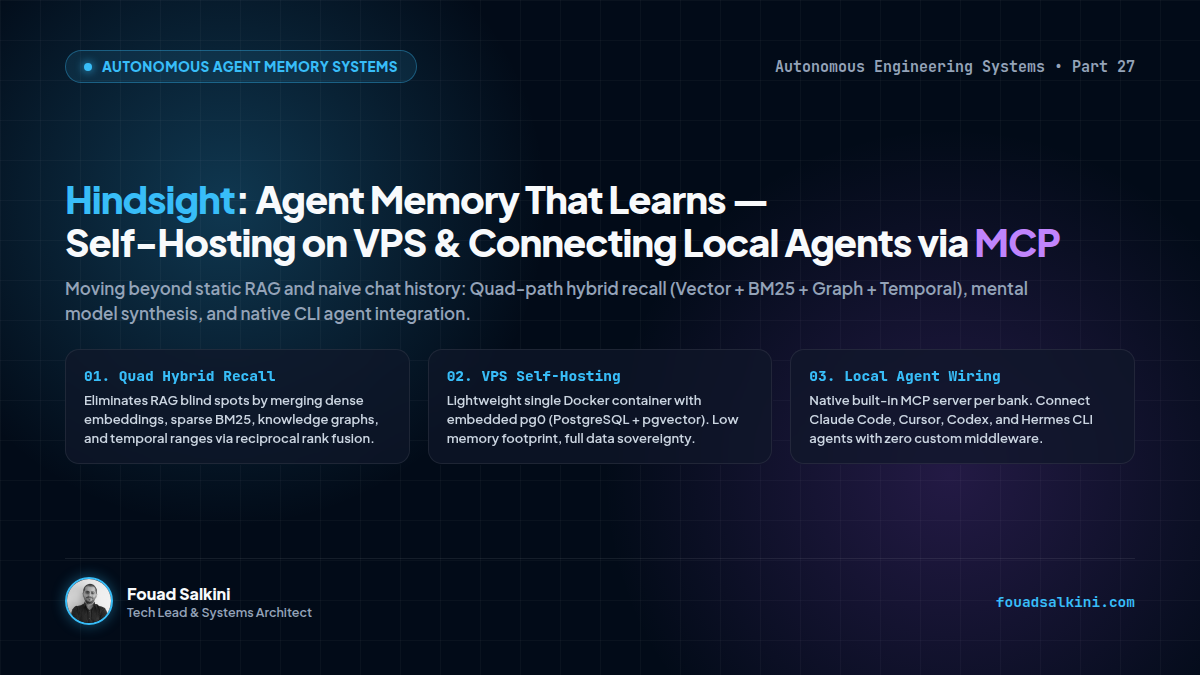
Most AI agent memory architectures deployed today suffer from a fundamental design flaw: they confuse memory with conversation history.
Dumping chat transcripts into a vector database and running semantic similarity search (basic RAG) fails as soon as agents operate on multi-week software projects. RAG cannot track state transitions, lacks temporal awareness (“what changed on Tuesday?”), ignores causal relationships, and creates severe context bloat.
The open-source repository vectorize-io/hindsight (trending at #1 on GitHub) rethinks agent memory from first principles. By replacing naive vector search with biomimetic data structures and a four-way hybrid retrieval engine, Hindsight achieves state-of-the-art results on the LongMemEval benchmark.
- GitHub Repository:
github.com/vectorize-io/hindsight - License: MIT Open Source
- Official Docs:
hindsight.vectorize.io
Here is an architectural deep-dive into how Hindsight works, production deployment guides for Linux VPS servers (both with Docker and bare-metal native Python/Systemd), and the exact steps to wire local coding agents (Claude Code, Cursor, Codex, Hermes) directly into it.
1. The Architectural Triad: Retain, Recall, and Reflect
Hindsight categorizes information into four human-like memory structures: World Facts, Experiences, Observations, and Mental Models. These are managed via three core operations:
                  ┌─────────────────────────────────────┐
                  │          Hindsight Engine           │
                  └──────────────────┬──────────────────┘
                                     │
      ┌──────────────────────────────┼──────────────────────────────┐
      ▼                              ▼                              ▼
  [ RETAIN ]                    [ RECALL ]                     [ REFLECT ]
Extract Entities & Facts      Quad-Path Search              Synthesize Beliefs
Temporal Tagging              Semantic + BM25 +             Build Mental Models
Normalization & Embeddings    Graph + Time Ranges           Generate Living Wikis
1. Retain (Active Distillation)
When content enters Hindsight, an LLM normalization worker extracts:
- Key atomic facts.
- Canonical entities and relationship edges.
- Temporal coordinates (validity periods, event times).
- It updates existing beliefs instead of creating duplicate fragmented records.
2. Recall (Quad-Path Hybrid Retrieval)
Basic vector search fails when answering keyword-specific or chronologically bounded questions. Hindsight runs 4 parallel retrieval pipelines simultaneously:
- Semantic Search: Dense vector similarity (MiniLM / OpenAI text-embedding-3).
- Keyword Search: Exact sparse BM25 token matching.
- Graph Traversal: Multi-hop entity, causal, and temporal graph exploration.
- Temporal Filter: Hard range constraints based on timestamp metadata.
Results are fused via Reciprocal Rank Fusion (RRF) and refined by a cross-encoder reranker before token pruning.
3. Reflect (Cognitive Synthesis)
Instead of returning raw text chunks, reflect enables agents to reason over their historical experiences. It constructs Mental Models (e.g., “What coding style does this engineer prefer?”) which are stored as live, pre-computed markdown pages—allowing agents to boot with settled knowledge instantly with zero retrieval overhead.
2. Deploying Hindsight on a Linux VPS via Docker
Hindsight packages an embedded database runtime (pg0 based on PostgreSQL + pgvector), eliminating the need to maintain separate database clusters for small-to-medium deployments.
Prerequisites:
- A Linux VPS (Ubuntu 22.04 / 24.04 or Debian 12).
- Docker & Docker Compose installed.
- Ports
8888(API & MCP) and9999(Web UI) open or routed through a reverse proxy.
Step 1: Run the Docker Container
Run Hindsight with persistent volume storage and an OpenAI or Anthropic API key for memory extraction:
docker run -d \
  --name hindsight-server \
  --restart unless-stopped \
  -p 8888:8888 \
  -p 9999:9999 \
  -e HINDSIGHT_API_LLM_PROVIDER=openai \
  -e HINDSIGHT_API_LLM_API_KEY=sk-your-openai-api-key \
  -v hindsight-storage:/home/hindsight/.pg0 \
  ghcr.io/vectorize-io/hindsight:latest
Note: Hindsight supports over 25 providers including local engines like ollama and vllm, as well as open gateways via litellm.
Step 2: Verify Server Health
Check that the HTTP server and UI are active:
curl http://localhost:8888/health
# Response: {"status":"healthy"}
You can now open http://YOUR_VPS_IP:9999 in your browser to access the visual Hindsight Dashboard.
3. Option B: Bare-Metal VPS Installation (Without Docker)
If your VPS runs in a low-resource environment, cannot run Docker containers, or you prefer a lightweight native Python deployment managed by systemd, Hindsight provides a complete standalone pip package: hindsight-api.
Prerequisites on Ubuntu/Debian:
sudo apt update && sudo apt install -y python3-pip python3-venv git curlStep 1: Create a Dedicated Virtual Environment
mkdir -p /opt/hindsight && cd /opt/hindsight
python3 -m venv venv
source venv/bin/activate
pip install --upgrade pip
pip install hindsight-api
Step 2: Configure Environment Variables
Create an environment file /opt/hindsight/.env:
HINDSIGHT_API_LLM_PROVIDER=openai
HINDSIGHT_API_LLM_API_KEY=sk-your-openai-api-key
HINDSIGHT_DATA_DIR=/opt/hindsight/data
PORT=8888
Step 3: Run as a Production Systemd Service
Create the service unit file /etc/systemd/system/hindsight.service:
[Unit]
Description=Hindsight Agent Memory Service
After=network.target

[Service]
Type=simple
User=root
WorkingDirectory=/opt/hindsight
EnvironmentFile=/opt/hindsight/.env
ExecStart=/opt/hindsight/venv/bin/hindsight-server --host 0.0.0.0 --port 8888
Restart=always
RestartSec=5

[Install]
WantedBy=multi-user.target
Enable and start the service:
sudo systemctl daemon-reload
sudo systemctl enable --now hindsight
sudo systemctl status hindsight
Verify that the native daemon is listening:
curl http://localhost:8888/health4. Securing Behind Nginx / Apache with TLS
For production use across remote teams, never expose port 8888 unencrypted. Set up an SSL reverse proxy:
<VirtualHost *:443>
    ServerName memory.yourdomain.com

    SSLEngine on
    SSLCertificateFile /etc/letsencrypt/live/memory.yourdomain.com/fullchain.pem
    SSLCertificateKeyFile /etc/letsencrypt/live/memory.yourdomain.com/privkey.pem

    ProxyPreserveHost On
    ProxyPass / http://127.0.0.1:8888/
    ProxyPassReverse / http://127.0.0.1:8888/
</VirtualHost>
5. Connecting Local Agents via Native MCP
One of Hindsight’s greatest features is its built-in Model Context Protocol (MCP) endpoint. Every memory bank automatically exposes an MCP server at:
http://YOUR_VPS_IP:8888/mcp/{bank_id}/1. Connecting Claude Code CLI
In your project directory or global configuration, add the Hindsight MCP server to claude_desktop_config.json or your Claude Code settings:
{
  "mcpServers": {
    "hindsight-memory": {
      "command": "npx",
      "args": [
        "-y",
        "@modelcontextprotocol/server-fetch",
        "https://memory.yourdomain.com/mcp/production-fleet/"
      ]
    }
  }
}
Or connect directly via the native Hindsight CLI helper:
npx @vectorize-io/hindsight-coding-agents install claude-code2. Connecting Cursor & VS Code
In Cursor Settings -> Features -> MCP, add a new server:
- Name:
hindsight-project-memory - Type:
sseorstream - URL:
https://memory.yourdomain.com/mcp/my-app-bank/sse
Once connected, your coding assistant gains three autonomous tools:
retain_memory: Stores architectural decisions and bug fixes.recall_memory: Searches past tickets, decisions, and patterns.reflect_memory: Asks high-level questions about project trajectory.
3. Python SDK Client Integration
For custom agent loops (such as Hermes Agent or LangGraph):
pip install hindsight-clientfrom hindsight_client import Hindsight
client = Hindsight(base_url="https://memory.yourdomain.com")
# 1. Store a project decision
client.retain(
bank_id="trading-bot-prod",
content="Switched OKX order execution from REST polling to WebSocket stream to eliminate 200ms latency.",
context="architecture-decision"
)
# 2. Recall past context during automated bug triage
memories = client.recall(
bank_id="trading-bot-prod",
query="Why are we using WebSockets instead of REST for OKX?"
)
for mem in memories:
print(f"[{mem.score:.2f}] {mem.content}")6. Architectural Takeaway
Agent intelligence is constrained by memory architecture. As agents evolve from single-prompt scripts into autonomous digital workers running on remote infrastructure, stateless LLMs will no longer suffice.
Hindsight provides the missing substrate: a self-hosted, sovereign, quad-retrieval cognitive layer that turns ephemeral sessions into permanent organizational knowledge.

Written by Fouad Salkini (فؤاد سلقيني)
General Manager & Tech Lead at Tripnologies and Sync Studios. Systems Architect focusing on AI coding agents, DevOps, and quantitative systems.