DigUp: Find Local Files by Meaning — Advantages, Limitations and a Real Offline Test
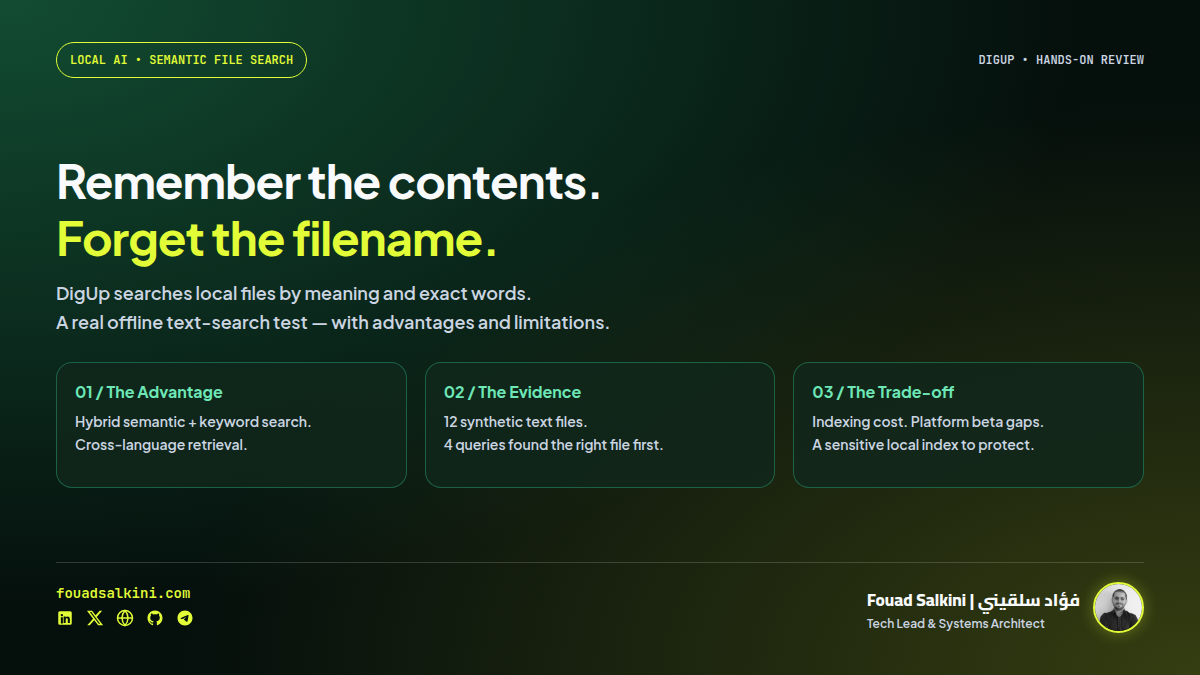
DigUp brings EmbeddingGemma 2 to desktop file search across documents, images, audio, video and code. We tested the Linux release on synthetic English and Arabic documents, inspected its hybrid search and local index, and explain the benefits alongside beta, privacy and indexing trade-offs.
You remember what a document says, but not what you named it. You remember a scene in a video, but not which clip contains it. Traditional filename search is not enough for either problem.
DigUp is a desktop application that searches selected local folders by meaning as well as exact words. It uses Google’s EmbeddingGemma 2 to connect text queries with documents, pictures, audio, video and optionally source code. The application is MIT-licensed; the model is Apache-2.0. [1][2][8]
My conclusion: worth trying on a carefully selected personal archive, particularly when you remember the subject rather than the filename. It is not an exhaustive search guarantee, a replacement for specialist OCR, or an enterprise document-management system.
I inspected the source and ran the actual Linux release with real model weights. The successful part of my test was text search, including Arabic–English retrieval. I did not test the desktop GUI or multimedia search end to end.
What DigUp does
Select folders, let the app index them, then describe what you want. The documented examples include a clause in a lease, a screenshot of a payment error, a scene in a video, a topic in a recording, and code that implements a behavior. Results can point to a PDF page, a media timestamp or a code location. Opening at the exact location depends partly on the installed viewer or editor. [1]
This is retrieval, not a conversational assistant that reads your archive and writes answers. Its main job is to find the right file and relevant location.
At the reviewed source revision, 7db9537712995d14e50e0e44baa00f721b98f1c6, the application has a native Mac interface and a Tauri-based Windows/Linux interface. The latest non-prerelease shown during this review was Mac v0.6.1; the Windows/Linux packages were v0.7.0-beta.2. Do not assume identical platform maturity from the shared project name. [1][7]
How the search works
The pipeline has two complementary paths:
Selected folders
    ↓
File readers: text passages, PDF pages, images,
audio windows, sampled video frames and code sections
    ↓
EmbeddingGemma 2 vectors + exact-word index
    ↓
Local SQLite database
    ↓
Query embedding + keyword lookup → ranked file locations
Google’s model card describes 740 million total parameters, with a 270M text component and separate vision and audio encoders. It maps modalities into a shared 768-dimensional vector space and supports more than 100 languages. Those are model-level capabilities, not evidence that DigUp has been equally evaluated in every language or format. [2]
DigUp combines vector similarity with SQLite FTS5 keyword search. Meaning helps when your wording differs from the file. Keywords preserve invoice IDs, names and error codes that a similarity vector may not match precisely. [3][4]
The app downloads pinned Q8_0 model files: approximately 310 MB for text and 555 MB for media, roughly 865 MB combined, separate from the application and growing indexes. The source records expected file sizes and SHA-256 values. I checked both downloaded files against those values before testing. [6]
What I actually tested
I downloaded and extracted the project’s Linux v0.7.0-beta.2 Debian package without installing it onto the host system. I ran its bundled developer CLI in an unprivileged Docker container with networking disabled, dropped capabilities and only a scratch workspace writable.
The model files were downloaded beforehand. During indexing and search, the container had no network access.
The fixture contained 12 synthetic text documents, with deliberately unhelpful names such as note_01.txt. They covered unrelated topics, including travel refunds, an Arabic apartment pet policy, networking, cooking and a fictional invoice.
The release indexed all 12 files successfully. These four queries each returned the intended document as the first result:
- “money back after calling off a trip” found the English cancellation-and-refund policy.
- “permission to keep a cat in the rented apartment” found the Arabic pet-policy document.
- “استرداد ثمن الحجز عند إلغاء الرحلة” found the English refund policy.
- “INV-7319” found the fictional invoice by its exact identifier.
That establishes a small but real model-backed search path, including retrieval in both language directions. It is not a general accuracy score: four hand-authored queries over 12 clean files are much easier than a messy archive with duplicates, scans and contradictory records.
The CLI reported roughly six seconds to index this tiny fixture. I would not extrapolate that to a photo library or hours of recordings. The test used CPU-only execution with container resource limits; it was not a laptop battery or interactive-GUI benchmark.
The synthetic test report records the queries and returned filenames.
What remains untested here
- Image and screenshot retrieval.
- PDF extraction and scanned-document behavior.
- Audio and video indexing or timestamp accuracy.
- Code-search quality.
- GUI shortcuts, previews, update installation and OS permission prompts.
- Large-archive latency, memory use and indexing time.
I did not compile the Swift or Rust applications or run their full source test suites. The executed artifact was the published Linux CLI from the beta package.
Advantages
1. Search by the thing you remember
A description can retrieve content even when the filename is meaningless. The Arabic pet-policy result in my test is a useful example: an English query found Arabic content, without requiring an English filename.
This could be valuable for a mixed Arabic/English folder of notes, contracts or reference documents. Your own archive still needs evaluation; a tiny successful test does not prove legal or archival completeness.
2. Local inference, without a per-query cloud API
The tested indexing and retrieval worked with networking disabled once the weights were present. The README says indexed files stay on the computer and that network activity is for model downloads and update checks, not file uploads. [1]
The reviewed update implementation includes a daily check that can be disabled. “On-device” therefore means local data processing, not that the application never contacts a server under any configuration. [9]
3. Meaning and exact text work together
Hybrid retrieval avoids an unnecessary choice between semantic search and literal matching. The fictional invoice identifier in my test matched exactly, while the cross-language questions used meaning. [3]
I would keep a conventional filename or full-text search tool available as well, especially when checking completeness.
4. Results can point inside a file
A matching PDF page or media moment is more useful than merely identifying a large file. DigUp stores segment locations for this purpose. The viewer integrations and media paths are documented features, not ones verified by my text-only smoke test. [1][4]
5. Code search is optional and separate
Code search must be enabled for chosen folders. It uses its own index and code: queries, with editor links to relevant lines. The project excludes generated or vendored material and observes Git ignore rules for repository files. [1]
This separation is sensible: a source tree can otherwise overwhelm a personal document/photo index. It is not a replacement for exact symbol navigation, a compiler, ripgrep, or a code agent.
6. Inspectable source and a permissive license
The application code is MIT-licensed. There is no paid feature tier described in the reviewed README. Model and bundled dependency licenses remain separate and should be retained when redistributing a package. [1][8]
Inconveniences and limitations
1. Initial indexing is the real cost
Local inference trades cloud dependence for local compute, storage and electricity. The README warns that large photo libraries can take hours on CPU-only hardware. My 12 short notes say nothing about that workload. [1]
Start with a useful folder rather than an entire home directory. Keep the device powered and inspect the initial estimates and indexing status before expanding the scope.
2. Windows and Linux are still beta, with feature gaps
The reviewed release assets are x64 Windows and amd64 Linux. The Mac version requires Apple Silicon and macOS 14 or newer. Windows/Linux support should not be read as support for every CPU architecture or desktop environment. [1][7]
The documented gaps include:
- Screenshot text recognition is Mac-only. On Windows/Linux, semantic image retrieval is not the same as exact OCR matching of an error code.
- Older
.docfiles, RAW photos and SVG images are documented as Mac-only inputs. - GNOME/Wayland global shortcuts and tray behavior can require desktop-specific setup.
- The README says the Windows installer is not yet signed. That creates a trust and deployment inconvenience, particularly on managed company devices; do not bypass security warnings merely because a project is public. [1]
3. Sampling and partial indexing can miss things
The default source settings sample video frames at three-second intervals, with additional deduplication. Brief events can fall between sampled frames. Audio is processed in 30-second windows with a 25-second hop; that provides overlap but does not turn similarity search into an exact transcript search. [5]
Long PDFs are indexed progressively. The README says a long file’s first 30 pages become available before later passes; the source caps processing at 5,000 pages per PDF. A partially indexed file can therefore lack a match that will only appear after backfill—or never appear past the configured limit. [1][5]
4. Semantic ranking is not proof that nothing exists
The searcher uses a threshold for matches that stand out relative to other vectors. A result can be missed or ranked unexpectedly. The app’s score is an ordering signal, not a probability that the answer is correct. [3]
If the query concerns a payment, deadline, safety instruction or legal clause, inspect the original and verify with literal search where possible. Do not treat an empty semantic result as proof that a file contains no relevant information.
5. Scanned PDFs are searchable inputs, not automatically an OCR export
The extraction code can represent low-text PDF pages as rendered images. That makes visual semantic retrieval possible, but it does not mean you receive a faithful text transcription, searchable word locations or a structured table export on every platform. [1][5]
Use a dedicated OCR/document-processing tool when the requirement is extracting a book, preserving tables or producing Markdown. DigUp addresses finding material, not that entire extraction workflow.
6. The local index is sensitive data too
I inspected the generated database: it was ordinary readable SQLite, with stored paths, excerpts and full-text-search content. A synthetic Redis note was readable directly from the text index.
This is useful evidence that the index is not only opaque embeddings. It is also a derived copy of potentially sensitive information. The reviewed database code opens ordinary SQLite; I did not find application-level encryption in that path. [4]
Protect the account and disk, review backup/sync behavior for the application-data folder, and do not index client documents without permission. Excluding known credential filenames is helpful, but it cannot guarantee that a password embedded in an ordinary note or screenshot is never indexed.
Uninstalling the application may leave models and indexes behind unless you remove its application data. The README documents the platform-specific cleanup paths. [1]
7. Scaling has architectural limits
The searcher loads vectors into memory and scores them directly. That is a straightforward design for a personal index; it is not a distributed approximate-nearest-neighbor service with enterprise access controls. [3][4]
Do not assume that results measured on a small personal collection apply to millions of chunks, a team document portal or a shared-server deployment.
How I would try it
Download only from the repository’s releases, check the platform and package version, and begin with a non-sensitive test folder. Confirm that new files are indexed, excluded folders remain excluded, exact identifiers work, and a few cross-language queries find the correct originals.
Mac
The documented options are the release DMG or:
brew install --cask arahim3/tap/digupThe reviewed requirements are Apple Silicon and macOS 14 or later. [1]
Linux
For the reviewed amd64 beta package:
sudo apt install ./DigUp_0.7.0-beta.2_amd64.debThe Debian package name is dig-up, avoiding an unrelated package named digup. An AppImage is also available. [1][7]
The bundled developer helper can index and search an explicit folder, as in this test pattern:
# Set DIGUP_MODELS to the folder holding the verified model files.
export DIGUP_MODELS="$HOME/digup-test-models"
HELPER=/usr/lib/DigUp/helper/digup
"$HELPER" index "$HOME/digup-test-files" --index "$HOME/digup-test-index"
"$HELPER" search "a description of the document" \
  --index "$HOME/digup-test-index" --json
Those paths describe the reviewed Debian package. Other builds may place the helper elsewhere.
Docker or systemd?
DigUp is a desktop application with a local helper, not a web service to expose on a VPS. There is no reason to add a public port or systemd API service for normal use.
Docker was my isolation method for evaluating the extracted CLI, not a tested way to deliver the desktop GUI. A CLI container needs its shared libraries, verified model files and deliberate filesystem mounts. Installing a desktop beta on your server is not a substitute for a proper document-search service.
My recommendation
Try DigUp if you often lose track of documents, mixed-language notes or media in your own folders. Its hybrid local search is useful, and the two-way Arabic/English retrieval worked in my small real-model test.
Keep expectations narrower for a business rollout. Validate the beta on each platform, protect the local index, and test scans, media and realistic archive sizes before depending on it.
For my own workflow, I would begin with a curated reference folder and use it alongside existing search tools. I would not start by granting access to all client repositories and personal documents.
The benefit is finding files by what you remember about them. The trade-off is maintaining a local AI index—with compute costs, retrieval blind spots and another sensitive data store to protect.
Sources
[1] DigUp repository, supported platforms, formats, setup and limitations
[2] Google DeepMind’s EmbeddingGemma 2 model card
[3] Pinned hybrid-search implementation
[4] Local SQLite index schema and stored content
[5] Indexing, sampling and file-processing defaults
[6] Pinned model download files, sizes and integrity values

Written by Fouad Salkini (فؤاد سلقيني)
General Manager & Tech Lead at Tripnologies and Sync Studios. Systems Architect focusing on AI coding agents, DevOps, and quantitative systems.