Claude Mods: In-Process Runtime Plugins, Safety Guardrails, and Essential Engineering Toolkits
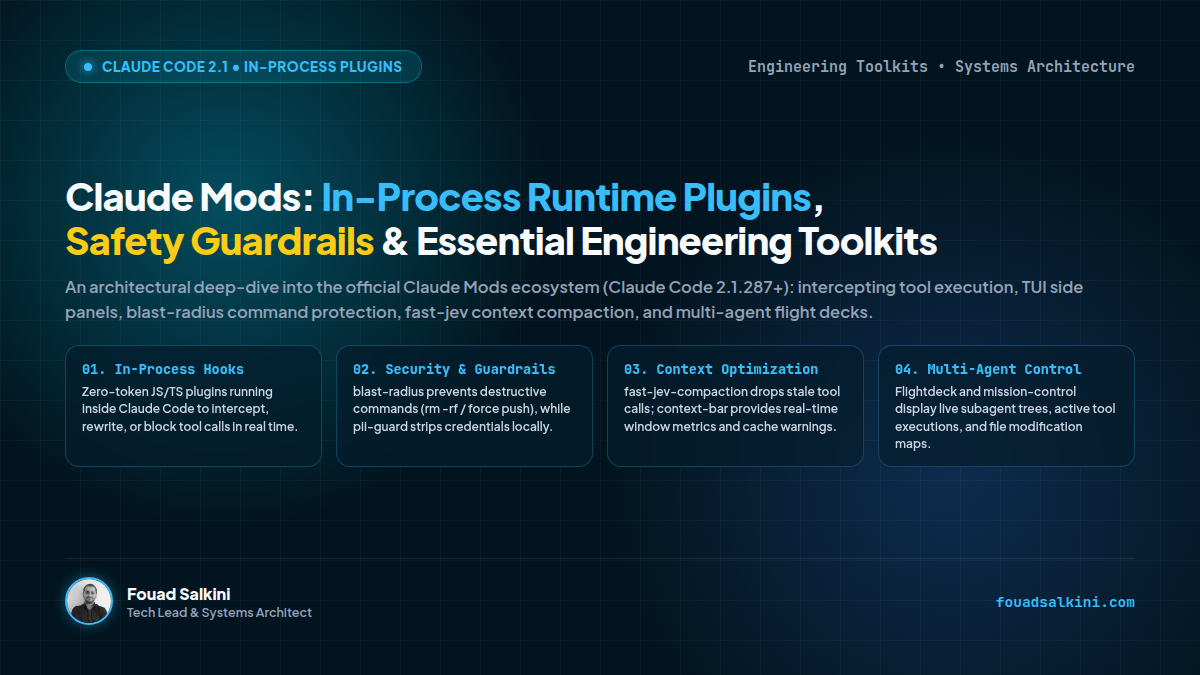
An architectural deep-dive into the official Claude Mods ecosystem introduced in Claude Code 2.1.287+: how in-process JavaScript/TypeScript plugins intercept tool calls, render TUI panels, prevent destructive commands with blast-radius, optimize context with fast-jev-compaction, and provide flight-deck visibility for multi-agent workflows.
When autonomous coding agents execute tasks inside developer environments, they operate as powerful but double-edged swords. A single unchecked command can force-push to a production branch, wipe a database table, or leak sensitive API tokens directly into the LLM context window.
Furthermore, monitoring what an agent is actually doing—which files it touched, which subagents are currently spawning, and where context tokens are evaporating—has historically required deciphering dense terminal scrolling logs.
With the release of Claude Code 2.1.287+, Anthropic introduced a transformative architectural primitive: Claude Mods (with the ecosystem cataloged at claude-mods.com).
Unlike external wrapper scripts or slow IPC child processes, Claude Mods are in-process JavaScript/TypeScript plugins that run inside the Claude Code engine itself. They can draw rich TUI widgets above the prompt, mount side panels beside the transcript, intercept or rewrite tool calls before execution, and redact sensitive secrets on loopback.
Here is an architectural breakdown of how Claude Mods work under the hood, followed by a curated selection of the most essential engineering mods to supercharge your agent workflows.
1. Architectural Anatomy: How Claude Mods Work
To understand why Claude Mods outperform traditional shell hooks or MCP servers, consider their execution boundary:
┌────────────────────────────────────────────────────────────────────────┐
│                        Claude Code Process Runtime                     │
│                                                                        │
│  ┌───────────────────────┐             ┌────────────────────────────┐  │
│  │   LLM Agent Loop      │             │     Terminal TUI Engine    │  │
│  │ (Claude 3.7 / Opus)   │             │  (Prompt, Split Panels)    │  │
│  └──────────┬────────────┘             └─────────────┬──────────────┘  │
│             │                                        │                 │
│             ▼                                        ▼                 │
│  ┌──────────────────────────────────────────────────────────────────┐  │
│  │                    In-Process Event Bus                          │  │
│  │   [onPrompt] • [beforeToolCall] • [afterToolCall] • [onRender]   │  │
│  └──────────────────────────────────┬───────────────────────────────┘  │
│                                     │                                  │
│                                     ▼                                  │
│  ┌──────────────────────────────────────────────────────────────────┐  │
│  │                         Active Claude Mods                       │  │
│  │   • blast-radius: Blocks destructive bash commands & diffs       │  │
│  │   • pii-guard: Redacts .env keys before hitting model context    │  │
│  │   • fast-jev: Drops stale tool traces to prevent compaction rot  │  │
│  │   • Flightdeck: Renders subagent tree in split terminal panel    │  │
│  └──────────────────────────────────┬───────────────────────────────┘  │
│                                     │                                  │
│                                     ▼                                  │
│  ┌──────────────────────────────────────────────────────────────────┐  │
│  │                   System Execution Layer (OS)                    │  │
│  │           (Local Bash Shell • File System • Git CLI)             │  │
│  └──────────────────────────────────────────────────────────────────┘  │
└────────────────────────────────────────────────────────────────────────┘
The 3 Core Architectural Superpowers:
- In-Process Execution (Zero IPC Latency): Mods execute inside the Node/V8 environment powering Claude Code. Intercepting a bash command takes sub-millisecond execution time rather than spawning external processes.
- Context Air-Gap (Security on Loopback): A mod can inspect tool arguments, detect uncommitted secrets (e.g.,
AWS_SECRET_KEYin a.envfile read), and mask them before they are sent to Anthropic’s API servers. - Interactive Terminal Chrome: Mods can split the terminal screen horizontally or vertically, displaying real-time git status trees, web previews, or subagent graphs with zero token cost.
2. Essential Claude Mods for Software Engineering
From the 180+ mods in the directory, here are the highest-signal plugins categorized by engineering discipline:
A. Safety & Blast-Radius Protection
1. blast-radius (by Anthropic)
- What it does: Acts as an autonomous circuit breaker. Whenever Claude Code attempts a high-consequence shell command (
rm -rf,git push --force,DROP TABLE,npm unpublish, or system-level mutations),blast-radiuspauses execution and renders a preview of affected files and branches, demanding explicit interactive confirmation. - Why it’s essential: Eliminates the catastrophic risk of an unsupervised agent executing destructive terminal commands in multi-repository workspaces.
- Install:
claude /plugin install blast-radius2. pii-guard
- What it does: Scans tool inputs and outputs for patterns matching API tokens (Stripe, GitHub, OpenAI), database connection URIs, private keys, and environment variables. Sensitive strings are replaced with cryptographic placeholders in the LLM transcript while preserving raw values for local execution.
- Why it’s essential: Ensures team members never accidentally leak production credentials into remote model training or monitoring logs.
- Install:
claude /plugin install pii-guardB. Context Window & Cost Optimization
3. fast-jev-compaction
- What it does: Standard Claude Code compaction periodically summarizes old conversation turns when the context window fills up, which frequently introduces subtle hallucinations and loses file diff precision.
fast-jev-compactionreplaces lossy summarization with deterministic pruning: it selectively discards stale intermediate tool calls (grep,find, failed builds) while preserving human prompts, architecture choices, and final code diffs verbatim. - Why it’s essential: Keeps agent reasoning crisp over marathon 10-hour refactoring sessions and saves up to 40% on compaction token overhead.
- Install:
claude /plugin install fast-jev-compaction4. context-bar / token-weather
- What it does: Renders a sleek, color-coded meter right above your terminal input line showing:
- Exact token consumption (e.g.,
142k / 200k). - Active prompt cache status (Cold vs. Warm KV-cache).
- Estimated API cost for the current session in dollars.
- Exact token consumption (e.g.,
- Why it’s essential: Gives engineers immediate visibility into context bloat so they know when to restart sessions before context rot sets in.
- Install:
claude /plugin install context-barC. Multi-Agent Visibility & Code Review
5. Flightdeck / mission-control
- What it does: Opens a responsive side panel in your terminal window displaying:
- Active subagent trees and parallel task delegations.
- A real-time tree of files currently opened or modified by the agent.
- Interactive drill-down into background terminal processes.
- Why it’s essential: Transforms Claude Code from a blind conversational shell into an observability cockpit for complex multi-agent engineering.
- Install:
claude /plugin install mission-control6. replay-theater
- What it does: Provides a
/replaycommand that launches an interactive diff viewer. Developers can step forward and backward through the agent’s turn-by-turn code edits, inspecting the exact reasoning that led to every changed line. - Why it’s essential: Accelerates code review before merging agent-generated pull requests into production branches.
- Install:
claude /plugin install replay-theater3. How to Author Your Own Claude Mod
Creating a custom mod for your team’s specific standards (such as enforcing coding style guides, linting rules, or internal deploy guards) is straightforward.
Create a mod.ts file in your repository:
// .claude/mods/enforce-tests.ts
import { defineMod } from "@anthropic/claude-mods";

export default defineMod({
  name: "enforce-tests-before-push",
  version: "1.0.0",

  // Intercept bash tool execution before it hits the system
  beforeToolCall(event) {
    if (event.toolName === "Bash") {
      const command = event.params.command.trim();

      // Block any git commit or push if tests haven't passed
      if (command.startsWith("git push") || command.startsWith("git commit")) {
        const testsPassed = event.sessionState.get("tests_passed");
        if (!testsPassed) {
          return {
            action: "block",
            reason: "Policy Violation: You must run `npm test` successfully before committing code."
          };
        }
      }
    }
  },

  // Monitor test output
  afterToolCall(event) {
    if (event.toolName === "Bash" && event.params.command.includes("npm test")) {
      if (event.result.exitCode === 0) {
        event.sessionState.set("tests_passed", true);
      }
    }
  }
});
4. Architectural Summary
| Dimension | Standard CLI Hooks / MCP | Claude Mods Architecture |
|---|---|---|
| Execution Boundary | Child process (IPC over stdin/stdout) | In-Process JavaScript/TypeScript Runtime |
| Latency | 50ms - 200ms per tool invocation | < 1ms direct function interception |
| User Interface | Plain terminal output stream | TUI Panels, Sidebars, Meters & Split Panes |
| Secret Management | Reactive (post-leak alerts) | Proactive loopback redaction before API calls |
| Context Impact | Consumes token budget | Zero token overhead for UI widgets & guards |
The Engineering Takeaway:
Claude Mods shift the paradigm of coding agents from “hoping the model follows your instructions” to deterministic runtime governance. By installing safety guardrails like blast-radius, context optimizers like fast-jev-compaction, and cockpit panels like mission-control, engineering teams can deploy autonomous agents with complete operational confidence.

Written by Fouad Salkini (فؤاد سلقيني)
General Manager & Tech Lead at Tripnologies and Sync Studios. Systems Architect focusing on AI coding agents, DevOps, and quantitative systems.