/brag: Turn Your Software Project into a Launch Video with an AI Coding Agent
A practical review of latent-spaces/brag: project-aware launch videos, Hyperframes, the lean brag-slim workflow, installation instructions, engineering use cases, and the privacy and cost checks that matter.
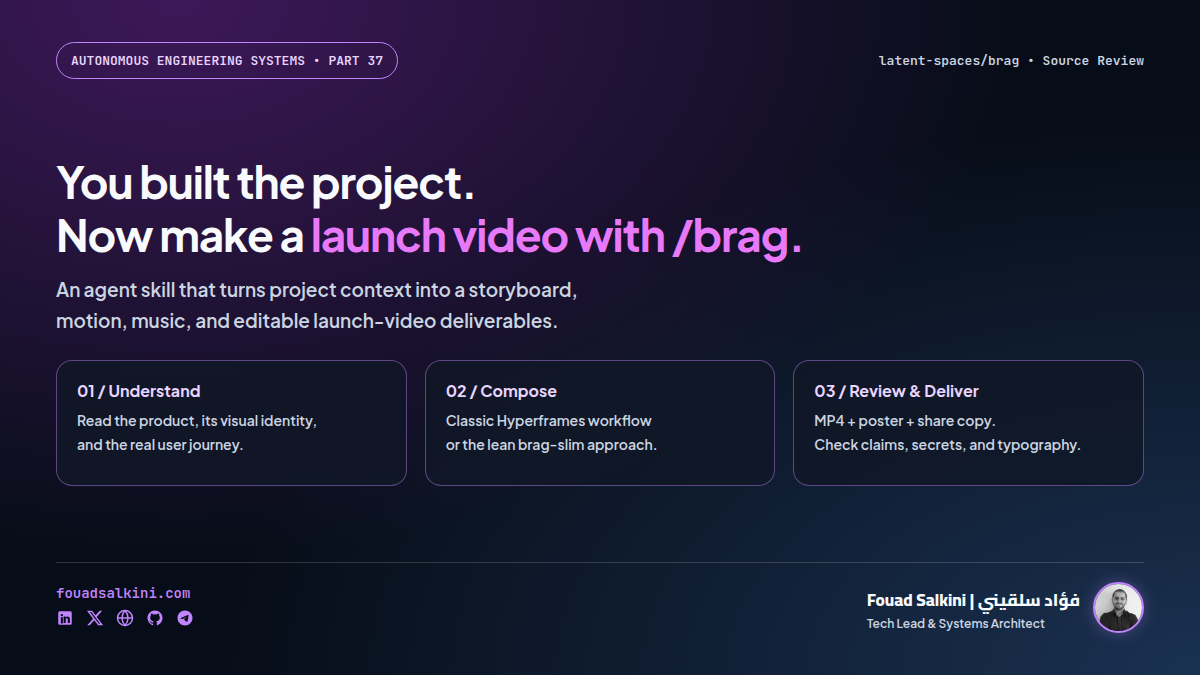
You finish a useful application. The code works, the interface is ready, and the repository is public. Then comes another task: explaining the product in a short video that someone will actually watch.
/brag addresses that last mile. It is an open-source agent skill, not a new video foundation model and not a standalone video editor. It gives a coding agent a structured workflow for turning a project into a short launch video, with motion, audio, a poster frame, and accompanying share copy.
The interesting part is its source material: the classic workflow reads the project’s code, interface components, styles, and README rather than asking you to describe the entire product again.
Review scope: I inspected the repository at commit 069432c, including its README, skill instructions, plugin manifests, rendering references, and license. The plugin manifests identify version 0.4.0. This is a source-level review, not a claim that I generated a new video with the tool.
What /brag actually does
The classic skill guides an existing agent through a creative production pipeline:
Project code, styles, README, and user flow
                    |
                    v
       Product understanding and visual identity
                    |
                    v
           Concept, script, and storyboard
                    |
                    v
             Hyperframes composition
                    |
                    v
          Validation, preview, and rendering
                    |
                    v
          MP4 + poster + copy + editable files
This distinction matters. The skill supplies instructions and assets. Your agent still supplies the reasoning, tool use, and implementation work; the rendering environment supplies the actual video production capability.
It is not simply a prompt that says “make a cinematic video.” The inspection guide explicitly asks the agent to identify the product’s user journey: entry → key action → result. It also examines colors, fonts, interface components, and genuine product claims. That is a useful way to reduce generic launch-video filler—although the output still needs human review.
Two workflows: classic /brag and /brag-slim
Classic /brag: a more prescribed production pipeline
The original workflow uses Hyperframes, bundled music and sound effects, and separate reference files for inspection, planning, composition, and delivery.
The README lists these prerequisites:
- An agent capable of using skills or loading custom instructions.
- Node.js 22 or newer.
- FFmpeg available on the command line.
- The Hyperframes CLI.
The skill supports landscape, vertical, and square formats. Duration defaults to roughly 15–25 seconds, and tone can be specified using presets or a free-form creative direction.
Voiceover is opt-in, not a default feature. The documented --voice path uses Kokoro through Hyperframes. Verify language and voice support before promising a particular narration style to a client.
/brag-slim: fewer bundled components, more responsibility for the agent
The repository also includes brag-slim, a single-file workflow described by its author as designed for Opus 5.5. It can use either a project directory or a website URL as input.
Unlike the classic path, it does not require Hyperframes or bundled assets. Instead, it asks the agent to build the story, visuals, soundtrack, and render using the tools available on the machine. Its documented default is approximately 20 seconds at 30 fps, with landscape, vertical, and square options.
“No Hyperframes” does not mean “no dependencies.” The agent still needs suitable graphics, rendering, and audio tools. The resulting workflow and reliability can therefore vary by model and environment.
The classic skill contains a model-specific handoff to slim, with --full retaining the classic workflow. That is repository behavior documented by the author—not an independent assessment of the named model.
Installation: start with a disposable project
These commands are reproduced from the repository. Installation changes the agent’s available instructions; review the skill first, especially before letting it read a private codebase.
Claude Code
Run the plugin commands inside Claude Code:
/plugin marketplace add latent-spaces/brag
/plugin install brag@brag
Then open the project you want to showcase and invoke:
/brag --tone polished --format vertical --duration 20The plugin includes both skills. The README gives this update command:
claude plugin update bragOther compatible coding agents
The README also documents installation through the skills CLI:
npx skills add https://github.com/latent-spaces/brag --skill bragTo install only the lean workflow:
npx skills add https://github.com/latent-spaces/brag --skill brag-slimWithout -g, the documented installation is project-scoped; adding -g makes it global. Actual discovery paths depend on the agent. Do not assume every agent supports the same slash-command syntax simply because it can read a SKILL.md file.
For the classic renderer, the repository recommends checking the environment with:
node --version
ffmpeg -version
npx hyperframes doctor
This is an agent-driven workflow rather than an always-running service. The reviewed README does not provide an official Docker deployment or systemd service; neither is necessary merely to use the skill.
A better first prompt
Do not ask for an impressive video without defining what is true about the product. Give the agent a clear audience, a real workflow, and claims it must not invent:
/brag --tone polished --format vertical --duration 20

Audience: small restaurant owners.
Show the real product journey:
1. A customer opens the menu.
2. They choose items and place an order.
3. The order appears in the restaurant dashboard.

Use the project's existing colors and typography.
Use synthetic customer data only.
Do not invent revenue, customer counts, testimonials, or integrations.
Keep all on-screen copy in Arabic, with correct RTL rendering.
Show me the storyboard and preview before the final render.
Arabic output should be checked visually: connected letterforms, mixed Arabic/English direction, number placement, and line wrapping can all fail even when the script itself is correct. If narration is required, test pronunciation separately rather than assuming the video workflow guarantees it.
Rendering and deliverables
The classic delivery reference documents these commands from the generated composition directory:
npx hyperframes check
npx hyperframes preview
npx hyperframes render --quality high --output ../brag.mp4
The prescribed sequence is validate → preview → approve → render. Its validation step covers issues including layout and text contrast. These checks help, but they cannot determine whether a product claim is honest or an animation accurately represents real behavior.
The README lists these deliverables under brag-output/:
brag.mp4: the rendered launch video.poster.jpg: a selected poster frame.composition/: editable Hyperframes files for the classic workflow.brag-plan.md: the concept and storyboard.share-copy.md: accompanying promotional copy.
For this review, I checked one bundled example with ffprobe: it is a 23-second, 1920×1080 video with H.264 video and AAC audio. That confirms a playable example artifact exists in the repository. It does not establish how long a fresh render takes or how good an arbitrary project’s video will be.
Where this is useful for engineering teams
1. Product launches and portfolio demonstrations
A developer can turn a working side project into a short explanation of its actual benefit. The editable composition is valuable when the interface or positioning changes later.
2. Internal release communication
A team could show a new approval flow, reporting dashboard, or search experience to non-technical colleagues. Keep technical release notes and test evidence alongside the video: a promotional clip is not a substitute for documentation.
3. Agency and client handoffs
A concise clip can explain a delivered feature before a walkthrough meeting. It should use staging data and avoid unpublished client names, pricing, or customer records.
4. Open-source onboarding
A repository’s README explains installation; a short video can make the “why would I use this?” question easier to answer. Both are useful, and neither replaces the other.
5. A reusable creative step in an agent workflow
The broader pattern is worth borrowing: inspect real source material, write a storyboard, create editable output, validate it, and ask for approval before distribution. That can complement a content pipeline without replacing its research and editorial checks.
Privacy, cost, and licensing: the important boundaries
Local rendering is not the same as local reasoning. An agent using a cloud model may send selected source code or website content to its configured provider. Review provider settings and work on a sanitized copy if the project is confidential.
The slim skill explicitly excludes sensitive sources such as .env files, certificates, and credentials. Those are useful instructions, not a security sandbox. Keep secrets outside the workspace, limit tool permissions, and inspect generated frames and copy before sharing.
Free skill does not mean zero total cost. The repository’s code is MIT-licensed, but model usage, rendering resources, optional services, and asset licenses remain separate considerations. Check the music and sound-effect terms before commercial redistribution rather than treating the repository’s license as a blanket license for every asset.
There is also a hosted alternative: letsbrag.app. At review time, its site advertises a $19 one-time payment for a roughly 20-second video, poster, and caption, with no subscription. That is a separate paid service, not the free local installation, and its price may change.
My conclusion
/brag is a useful bridge between building software and communicating its value. Its strongest idea is not a new video model: it is making product understanding, visual identity, storyboard planning, and editable delivery part of the coding agent’s workflow.
Use it for a first launch-video draft, portfolio work, or a concise feature announcement. Keep human review for accuracy, privacy, Arabic typography, and brand quality. A polished animation can explain a real product—but it cannot prove that a feature works.
Sources

Written by Fouad Salkini (فؤاد سلقيني)
General Manager & Tech Lead at Tripnologies and Sync Studios. Systems Architect focusing on AI coding agents, DevOps, and quantitative systems.